Mastering Kubernetes — Day 01: What is Kubernetes? The Ultimate Simple Guide 2026 Edition
Let’s be honest: Kubernetes is a buzzword. You hear it everywhere in DevOps, usually followed by people nodding their heads and looking serious. But what does it actually mean?
If you are just starting your journey, this topic can feel overwhelming. But don’t worry. In this guide, we are going to strip away the jargon. We will look at the history of how applications were built, why things changed, and how Kubernetes (often shortened to K8s) acts as the captain of the ship.
To understand Kubernetes, we first need to understand the problems it solves: Monolithic applications and the rise of Microservices.
What is it? The Evolution of Apps
Before we define Kubernetes, we have to look at how we used to build software versus how we build it now.
The Old Way: Monolithic Applications
In the early days of software development, we built “Monolithic” applications. Think of the word “Mono” (Single) and “Lithic” (Stone).
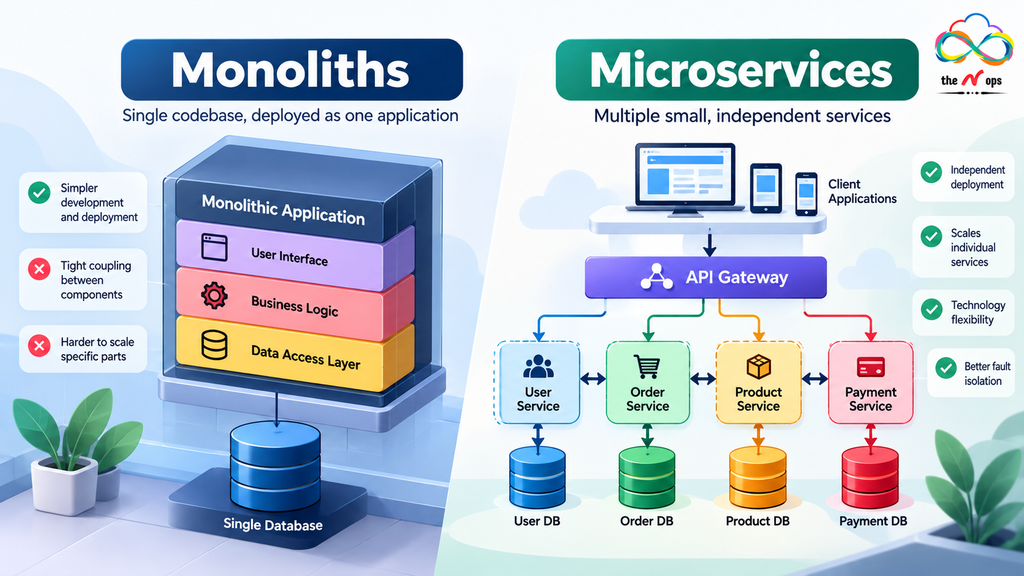
A monolith is where every part of your application is packed together into one single giant file. For an e-commerce store, your Web Frontend, Shopping Cart, Shipping Logic, Database, and User Authentication are all glued together in one code base.
The Problem with Monoliths
Imagine a standard TV remote control. All the buttons, the circuit board, and the plastic casing are built as one unit.
- Hard to fix: If the “Volume Up” button breaks, you can’t just replace that one button. You usually have to throw away the whole remote.
- Hard to update: In software, if you want to update just the “Shopping Cart” feature, you have to take the entire website offline to update that one part. This is painful and slow.
- Hard to scale: If many people are visiting your site, you can’t just add more power to the “Cart.” You have to duplicate the entire heavy application, which wastes resources.
The New Way: Microservices
To solve the pain of monoliths, the industry moved to Microservices. As the name suggests, we break the big application down into “mini services.”
Instead of one giant block, the application is made of many small, specialized parts. Each part (Service) has its own job, its own team, and runs in its own container. They are “loosely coupled,” meaning they work together but don’t depend on each other to exist.
The Restaurant Analogy
- The Waiter: Takes orders (Frontend).
- The Chef: Cooks food (Backend logic).
- The Cashier: Handles money (Payment service).
- The Delivery Driver: Delivers food (Shipping service).
If the Delivery Driver is sick, the Chef can still cook. The restaurant doesn’t close down just because one person is missing. You can fix or replace one person without stopping the whole business.
The Solution
Microservices talk to each other over a network (using APIs). This allows us to:
- Update independently
- Scale independently
Enter the Orchestrator – Kubernetes
So, we have hundreds of these tiny microservices. But who manages them? Who decides which server they run on? Who restarts them if they crash?
This is what Kubernetes is.
Kubernetes is an Orchestrator. Think of a musical orchestra. You have violins, drums, flutes, and trumpets. If they all play whenever they want, it’s just noise.
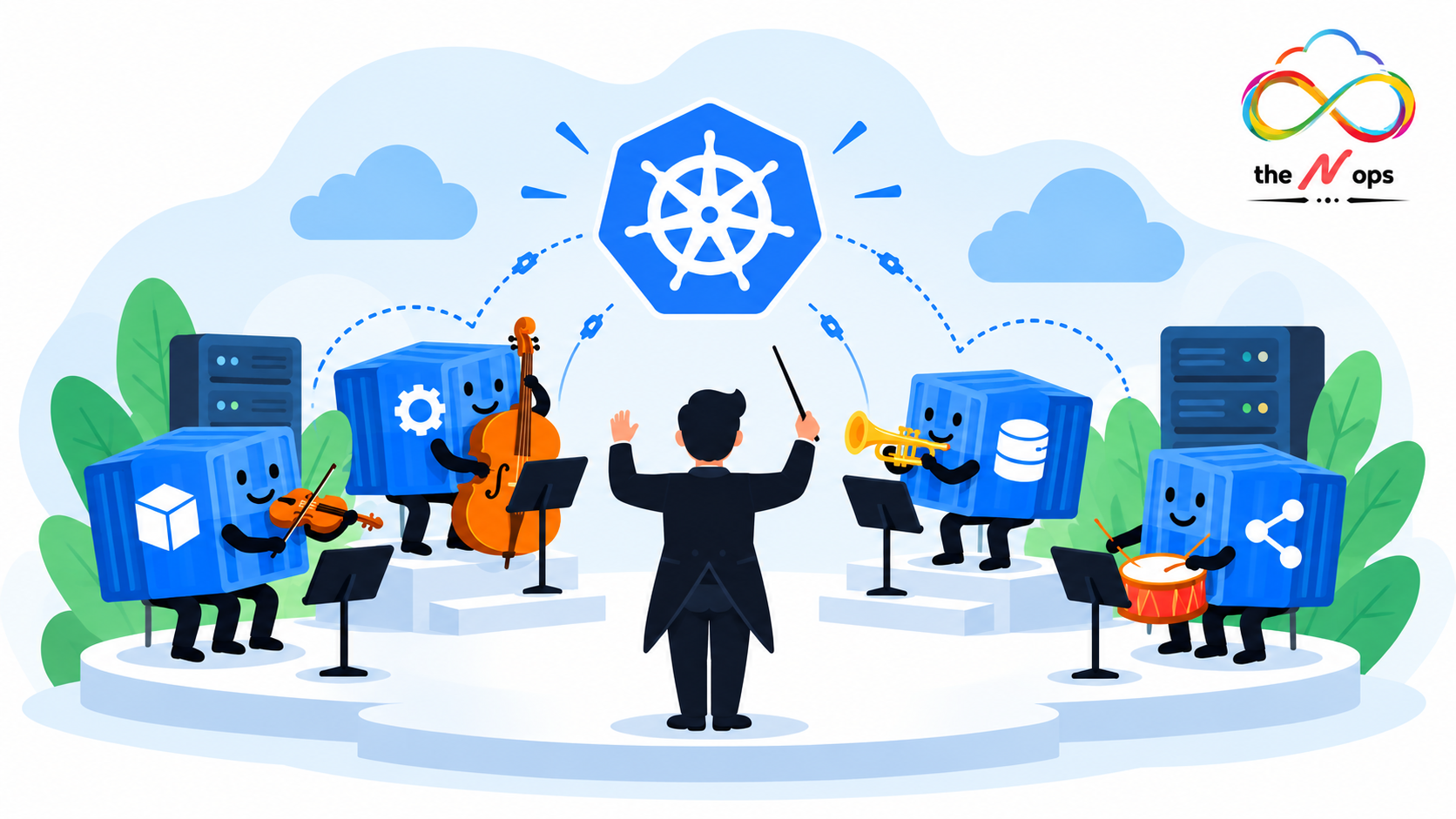
The Conductor (Orchestrator) stands at the front. They tell the violins when to start, how loud the drums should be, and keep everyone in sync to create beautiful music.
Kubernetes does this for your software containers. It organizes your microservices into a meaningful, working application. The name Kubernetes actually comes from the Greek word for “Helmsman” or “Pilot”—the person driving the ship. This is why the logo is a ship’s wheel.
Note on “K8s”: You will often see Kubernetes written as K8s. This is simply because there are 8 letters between the “K” and the “s”. It is generally pronounced “Kates.”
Why use it? The Cloud Native Advantage
You might hear the term Cloud Native. This doesn’t just mean “running on the internet.”
Cloud Native means building applications specifically to take advantage of cloud superpowers. Companies like Amazon, Flipkart, and Myntra are Cloud Native. They don’t just host their apps; they use the cloud to:
- Scale automatically when demand spikes
- Heal themselves when things break
- Update without users noticing
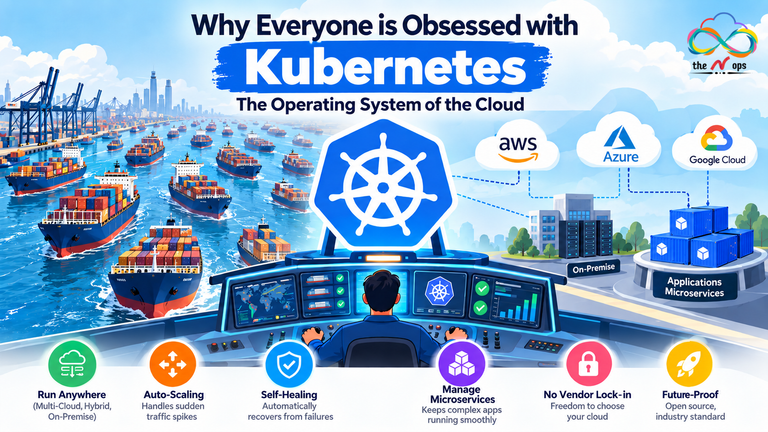
Kubernetes is the tool that unlocks these “Cloud Native” superpowers. It ensures your app can run anywhere—whether it’s on AWS, Azure, or your own servers in the basement.
Use Cases
When should you actually use Kubernetes?
- High Traffic Websites: When you need to handle millions of users on Black Friday but save money on quiet days.
- Complex Applications: When your app has moved from a simple script to hundreds of microservices.
- Hybrid Environments: When you want to move your app from Google Cloud to AWS without rewriting the code.
Case Study: How Pokémon GO Used Kubernetes
The Challenge
When Pokémon GO launched in 2016, the creators (Niantic) expected a certain amount of traffic. However, the game went viral instantly. Traffic surged to 50 times their initial target. A traditional monolithic architecture would have crashed and burned, keeping the game offline for days.
The Solution
Niantic used Kubernetes (specifically on Google Cloud). Because of K8s, they utilized the “Scale on Demand” feature.
- As millions of users logged in, Kubernetes saw the traffic spike.
- It automatically spun up thousands of new containers to handle the load.
- It managed the resources efficiently so the game servers didn’t melt down.
This was one of the largest Kubernetes deployments of its time, proving that K8s is ready for massive scale.
Benefits
Here is a summary of why DevOps engineers love K8s:
- Scale on Demand: Kubernetes watches your traffic. If usage goes up, it adds more copies of your app. If traffic goes down, it removes them to save you money.
- Self-Healing: This is magic. You tell K8s, “I always want 3 copies of my app running.” If one crashes, K8s notices immediately and starts a new one to replace it. It fixes problems before you even wake up.
- Zero Downtime Rolling Updates: Want to update your app? Kubernetes updates the containers one by one. The user never experiences a “Site Under Maintenance” screen.
- Run Anywhere: It eliminates “vendor lock-in.” You can run the same K8s commands on your laptop, on AWS EKS, or Azure AKS.
Next in the Series → Day 02: Why Everyone Is Obsessed with Kubernetes
One Comment